
Screen Recorder - G1REC
Eco Mobile EditorVideo Players & Editors
4.72.40K Reviews
- Version
- 3.8.1
- Installs
- 10.00M
- Age Rating
- Everyone
Screenshots

Our Review of Screen Recorder - G1REC
 Analysis by Appyee
On a shared phone or tablet, a screen recording can be useful for more than gameplay. I might capture the steps for changing a setting, save a short demonstration for someone who is not nearby, or show a family member where a confusing button appears. In that kind of everyday use, the appeal of Screen Recorder - G1REC is its direct approach: start with the screen, then decide whether the clip needs audio, a quick edit, or a visual mark-up. It is a practical tool, but shared-device recording also calls for a little care about what is visible and who will eventually see the file.
When one household device has several users
Imagine a parent helping a teenager troubleshoot a game setting, or a relative explaining how to find a menu in an app. Instead of trying to describe each tap in a message, I could record the relevant sequence and draw attention to the control that matters. That makes a recorder like G1REC handy for short, purposeful explanations, especially when the recipient can replay the clip at their own pace.
I would keep that workflow focused. Before recording, I’d close unrelated screens and think through what might appear in notifications or account menus. A recording can preserve more than the intended lesson, so a quick pause to tidy the screen is worthwhile. For a family using one device, it also helps to agree on who is making the recording and where the finished clip should be shared, rather than assuming every user wants their activity captured.
Deciding what to record and what to leave out
Audio choices deserve the same attention. Capturing a voice can make an explanation clearer, while internal sound can be useful for showing a game or app in action. For a quiet how-to clip, narration after the fact may be preferable to recording a live conversation. I’d make a short test first whenever the sound matters, then check the result before sending it on; that small step can prevent a useful visual guide from arriving with missing or distracting audio.
Drawing on the screen can also change how I plan a recording. Rather than narrating every detail, I can point out the exact button or area as it appears. The trade-off is that annotations can cover interface elements if I draw too broadly or too early, so I’d keep marks brief and deliberate. For a clip meant to teach someone, a clear sequence and a visible tap target usually matter more than adding lots of commentary.
Sharing responsibly on a family device
Editing before sharing is more than a cosmetic step. Trimming the beginning and end can remove the fumbling that happens before the useful part, and it makes a clip easier to watch on a small screen. If a recording includes private messages, account details, or another person’s voice, I’d review it carefully before sending it anywhere. A screen recorder is not a substitute for choosing an appropriate audience, and the simple act of sharing deserves the same thought as pressing record.
G1REC is an Android app in the video-player and editing space, developed by Eco Mobile Editor. It is free to install, though optional in-app purchases range from $1.90 to $45.00 per item. Its broad adoption—over 10 million installs and an average rating of 4.4 from around 107,000 ratings—suggests that many people find this style of recorder useful, but popularity alone cannot tell me whether its controls fit a particular household’s habits.
Getting Started with G1REC
Diving straight in, downloading and setting up Screen Recorder - G1REC was a breeze. Available on both Android and iOS, the app is lightweight, so it didn’t take forever to install. Once it was up and running, I was greeted with a clean and straightforward interface. No fluff, just the essentials right in front of you.
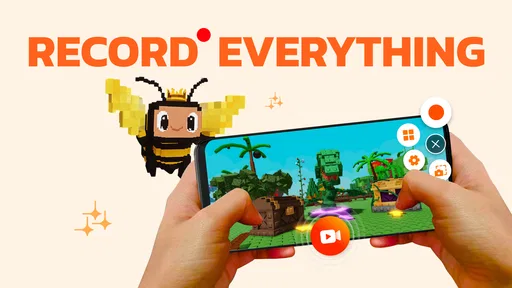
One of the first things I noticed was how intuitive the app is. You don’t need to be a tech wizard to figure it out. The main screen offers a big ol’ record button that's pretty hard to miss. Just tap, and you're off to the races. But wait, there's more to it than just recording.
Features That Stand Out
Now, let's talk features. This app isn’t just a one-trick pony. Beyond the basic screen recording, G1REC packs in a few extras that make it a versatile tool.
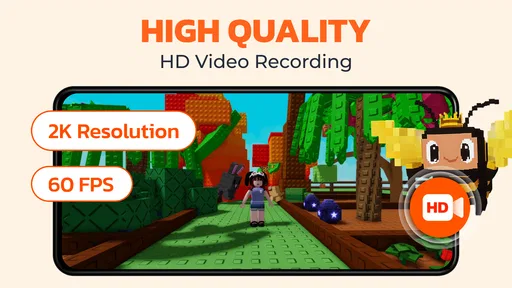
- High-Quality Recording: You can choose the resolution, frame rate, and bit rate. This is perfect if you're a quality snob like me and want your recordings crisp and clear.
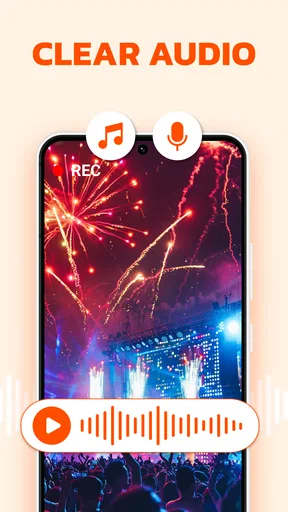
- Audio Recording: Whether you want to capture internal audio, your voice, or both, G1REC has got you covered.
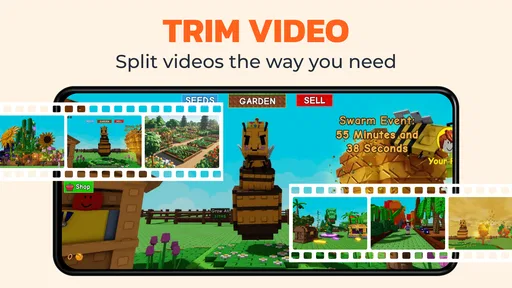
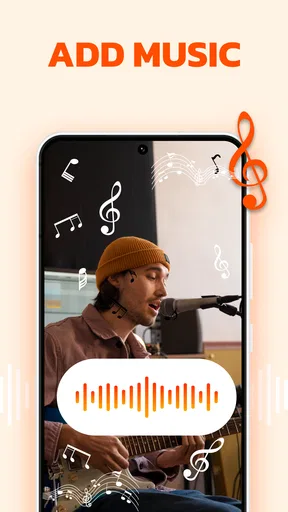
- Editing Tools: After recording, you can trim, cut, or even add music. It’s like having a mini editing studio right in your pocket.
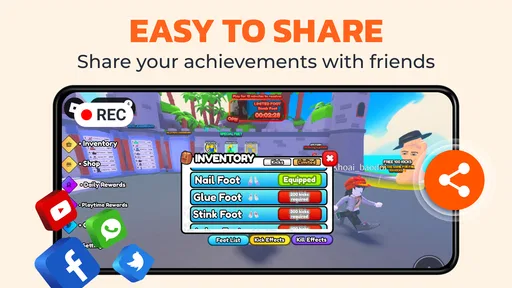
- Easy Sharing: Once you’ve got your masterpiece, sharing is a cinch. Directly upload to social media or send it over to friends and family.
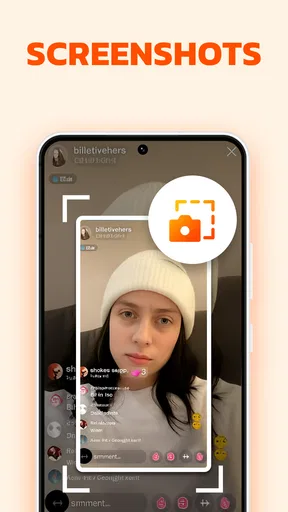
One feature I found particularly cool is the ability to draw on the screen while recording. It’s awesome for tutorials or just highlighting something important.
Performance and Usability
In terms of performance, G1REC runs smoothly without bogging down my phone, which is a major win. I’ve used other screen recorders before that turned my phone into a slow-motion device, but not this one. It’s optimized well, and I didn’t experience any crashes or glitches.
Usability-wise, the app scores high. Whether you're a beginner or a pro, navigating through the features is seamless. The developers clearly put thought into the user experience, making it accessible to all skill levels.
Making recordings useful rather than just long
For a quick lesson, I would set the resolution, frame rate, and bit rate with the intended viewer in mind rather than automatically choosing the highest options. A clip that will be watched on a phone to explain one setting does not need the same treatment as gameplay footage where motion and detail matter. Higher-quality choices can make a file more demanding to store or share, so the useful question is not simply “How sharp can this be?” but “What detail does this viewer actually need?”
A good workflow is to plan the opening and ending before pressing record. I’d move to the relevant screen first, wait a moment, perform the action at an unhurried pace, then stop once the result is visible. That avoids spending editing time removing dead space later. If I am demonstrating several steps, separate short clips can be easier to follow than one long recording that mixes unrelated tasks.
The built-in editing options make sense for this kind of quick cleanup, but I would not treat them as a full video-production setup. Trimming a clip or adding music is convenient when I want to share something promptly. If the job needs a carefully arranged timeline, detailed captions, or a more controlled sound mix, a dedicated editor is the better choice. The advantage here is keeping a simple screen capture and light finishing work together, not replacing every editing app.
Where it fits among recording options
On many phones, a built-in recorder is the simplest alternative: it is already available and may be enough for a one-off capture with no editing. I would choose that route when all I need is a raw clip and I do not want another app in my workflow. G1REC becomes more appealing when I want adjustable recording quality, audio choices, on-screen drawing, or quick trimming in the same general process.
Compared with a computer-based capture setup, a phone recorder is easier to use for a mobile game or for showing a setting directly on the device. It is less suited to a polished presentation that combines several sources or needs precise post-production. That distinction matters: G1REC is most convincing as a practical recorder for material that begins and ends on a phone, not as a professional editing suite.
It is also worth matching the app to the person using it. A casual player who wants to preserve a gameplay moment, a student making a short visual explanation, or a relative helping someone navigate an app can benefit from a low-friction recorder. Someone who records long sessions, needs elaborate edits, or wants a strict managed workflow should compare other tools before settling on it. The right choice depends less on a feature checklist than on whether the recording is quick and self-contained.
Setup, compatibility, and household expectations
The app’s current version is 3.5.7, and it requires Android 8.0 or later. It is free to install, with optional purchases, so I would check the purchase screen carefully if another person will be setting it up on a shared device. A household can avoid awkward surprises by agreeing that the person who owns or manages the device handles purchase decisions, rather than leaving that choice to whoever happens to be recording.
Its Everyone age rating makes it broadly suitable in content-rating terms, but that is not the same as a promise that every recording is appropriate to make or share. For younger users, I’d explain the difference between recording their own gameplay and capturing another person’s messages, voice, or personal information. Clear family expectations are more useful than assuming an age label handles privacy or consent.
G1REC does not replace separate user accounts or household rules. On a device used by several people, recordings may become part of the same device’s everyday clutter, so I would name clips clearly and decide who is responsible for sorting or deleting them. If family members need separate libraries, strict access boundaries, or supervised sharing, a recorder alone is not the right solution; the device’s own account and privacy settings matter more.
Performance and Usability
In terms of performance, G1REC runs smoothly without bogging down my phone, which is a major win. I’ve used other screen recorders before that turned my phone into a slow-motion device, but not this one. It’s optimized well, and I didn’t experience any crashes or glitches.
Usability-wise, the app scores high. Whether you're a beginner or a pro, navigating through the features is seamless. The developers clearly put thought into the user experience, making it accessible to all skill levels.
Final Thoughts
After spending some quality time with Screen Recorder - G1REC, I can confidently say it’s worth adding to your app arsenal. It takes the hassle out of screen recording and offers just enough features to make it versatile without being overwhelming.
If you’re on the lookout for a reliable screen recording app that won’t bog down your device, G1REC deserves a spot on your home screen. Whether you're capturing gameplay, conducting tutorials, or just want to save a video call, this app has got your back.
So, go ahead and give it a shot. You might just find it’s the app you’ve been missing all along!
My household verdict is that this is a useful, approachable option when the goal is to capture a short, clear demonstration or a moment of play and share it with the right person. I would choose it over a bare built-in recorder when its recording choices and quick edits save me extra steps, but I would switch to a dedicated editor for more involved projects and to device-level controls for stronger account separation. Its 4.4 average from around 107,000 ratings offers helpful context, not a guarantee that every device or family workflow will feel the same. For everyday recording, I’d start with one brief test, agree on what is okay to capture, and keep the final clip focused.
Privacy and Permissions
See what permissions an app requests and how it handles your data.
- Photos/Media/Files
- read the contents of your USB storage, modify or delete the contents of your USB storage
- Storage
- read the contents of your USB storage, modify or delete the contents of your USB storage
- Camera
- take pictures and videos
- Microphone
- record audio
- Other
- view network connections, expand/collapse status bar, full network access, change your audio settings, draw over other apps, control vibration, prevent device from sleeping
Verdict
Strengths of Screen Recorder - G1REC
- High-quality video recording.
- User-friendly interface.
- Supports multiple resolutions.
- Includes editing tools.
- No watermark on recordings.
Limitations of Screen Recorder - G1REC
- Consumes significant battery life.
- Limited free cloud storage.
- Ads in the free version.
- May lag on older devices.
- No live streaming feature.
Other Releases by Eco Mobile Editor
View All
Photo Video Maker With Music
Video Players & Editors4.5

Crop, Trim Video Editor
Video Players & Editors4.6

Compress, Reduce Video Size
Video Players & Editors4.2
Similar Picks in This Category
View All
Google TV
Google LLC3.9

iTunes
Apple4.7

YouTube
Google LLC3.8

MX Player
Amazon Mobile LLC4.2

CapCut - Video Editor
Bytedance Pte. Ltd.3.5

PLAYit-All in One Video Player
PLAYIT TECHNOLOGY PTE. LTD.4.5
Frequently Asked Questions
Is Screen Recorder - G1REC free to use?
Screen Recorder - G1REC offers a free version with basic features, allowing users to record screens without any cost. However, for advanced functionalities such as editing tools, higher resolution recording, and removing ads, users may need to subscribe to a premium plan or make in-app purchases.
What devices are compatible with Screen Recorder - G1REC?
Screen Recorder - G1REC is compatible with most Android and iOS devices. It requires Android 5.0 or later and iOS 11 or later. It’s advisable to check the app store for specific device compatibility to ensure seamless performance and access to all features.
Does Screen Recorder - G1REC support audio recording?
Yes, Screen Recorder - G1REC supports audio recording. Users can choose to record internal audio, microphone audio, or both. This feature is particularly useful for creating tutorials or capturing gameplay with commentary. Ensure that the app permissions are correctly set to enable audio recording.
How is the video quality of recordings in Screen Recorder - G1REC?
Screen Recorder - G1REC provides high-quality video recordings, supporting resolutions up to 1080p. Users can adjust the resolution, bitrate, and frame rate according to their needs. For optimal results, it is recommended to use devices with sufficient processing power and storage capacity.
Can I edit my videos within the Screen Recorder - G1REC app?
Yes, Screen Recorder - G1REC includes built-in editing tools that allow users to trim, add text, insert music, and apply various effects to their recordings. While the basic editor is available for free, advanced editing features may require a premium subscription to access the full range of tools.
